
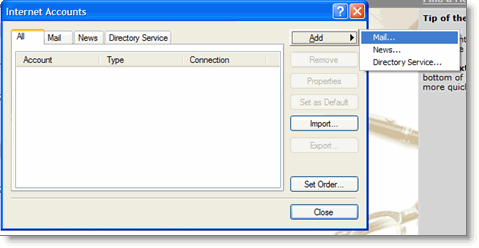
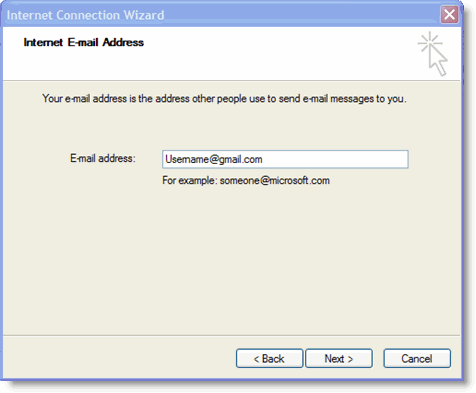
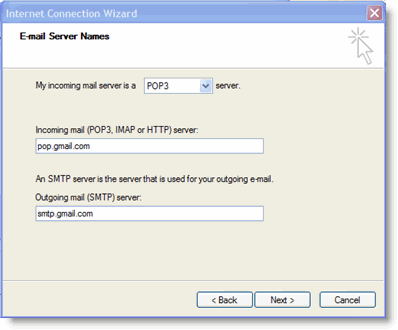
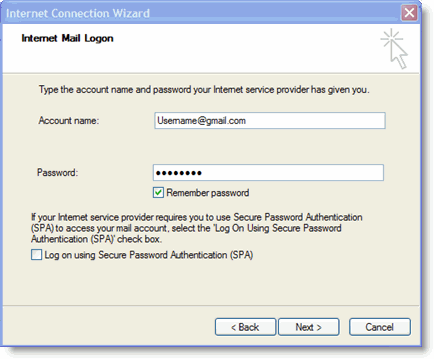
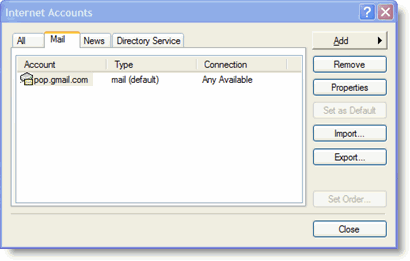
If POP isn't working properly for you, please ensure that your settings are identical to those listed below. Even small differences may prevent Gmail's POP service from functioning properly.
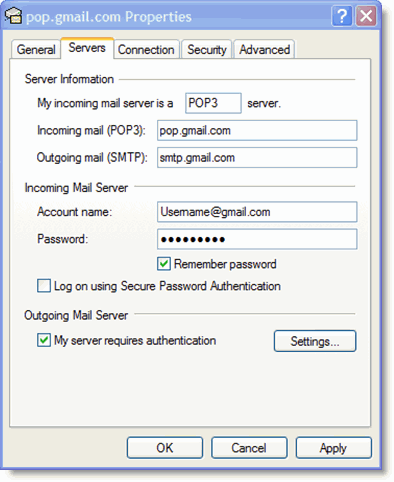
E-Mail Accounts tab
| Your Name: | (optional) |
| E-mail address: | (your Email address, including '@domain.com') |
| User Name: | (your Email address, including '@domain.com') |
| Password: | (your Email password) |
| Remember password: | (optional) |
| Log on using Secure Password Authentication: | disabled |
| Incoming mail server (POP3): | pop.gmail.com |
| Outgoing mail server (SMTP): | smtp.gmail.com |
Outgoing Server tab
| My outgoing server (SMTP) requires authentication: | enabled |
| Use same settings as my incoming mail server: | enabled |
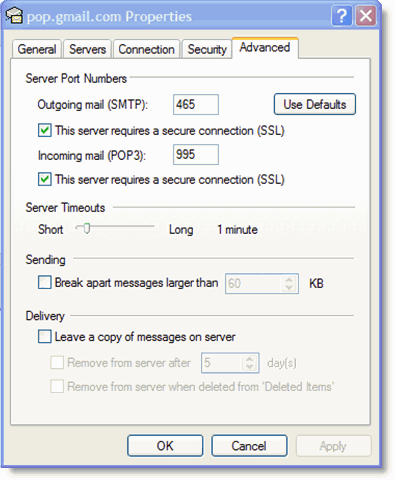
Advanced tab
| Incoming server (POP3): | 995 |
| This server requires a secure connection (SSL) | enabled |
| Outgoing server (SMTP): | 465 or 25 |
| This server requires a secure connection (SSL) | enabled |
| Server Timeouts | (Greater than 1 minute, we recommend 5) |
| Leave a copy of messages on the server | disabled |
